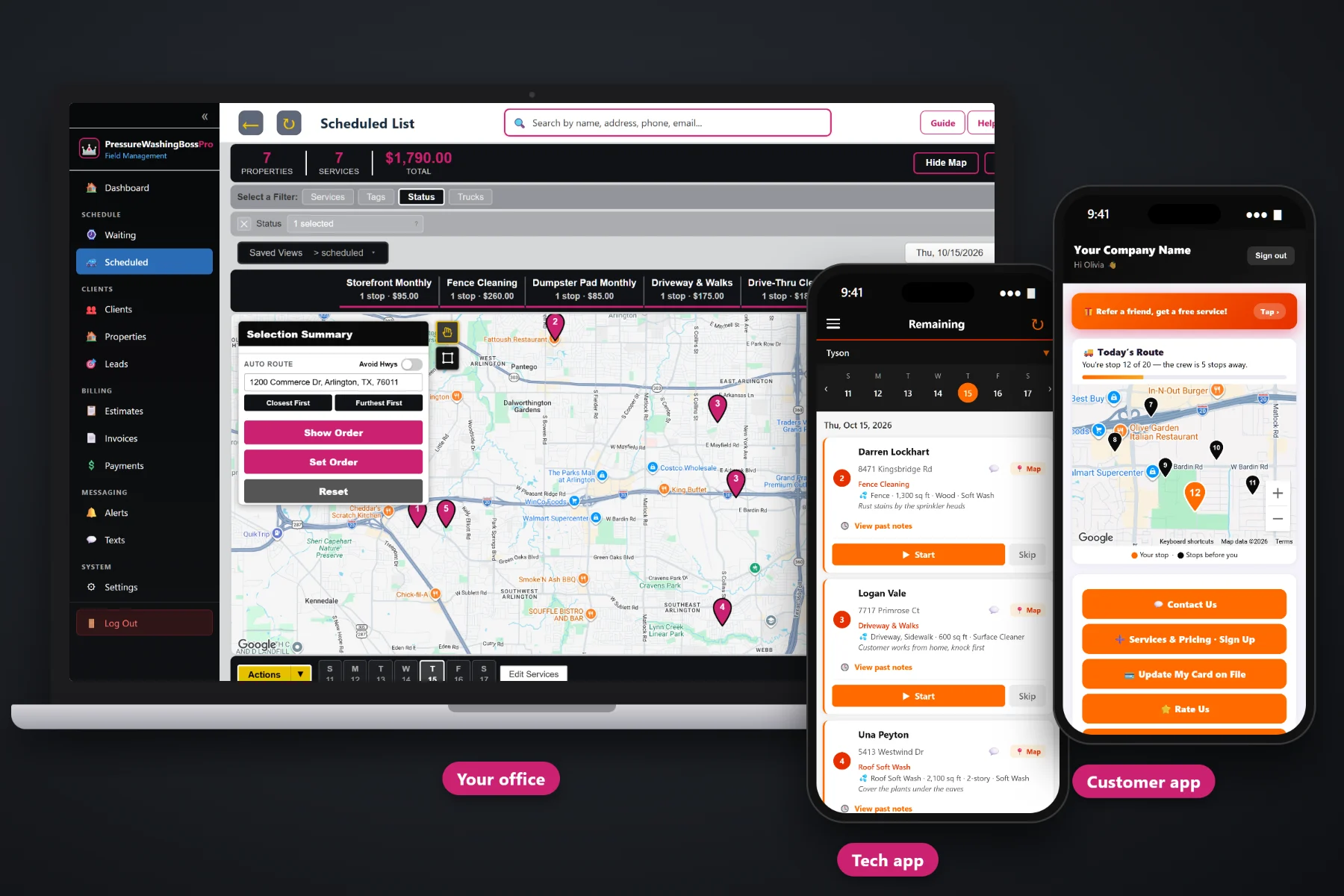
A pressure washing invoice should read like the job did: house wash, driveway, back patio, gutter brightening, each with its square feet and its price. PressureWashingBossPro builds the invoice from the job, adds sales tax, charges the card on file when the crew taps Complete, lets customers pay online from the customer app, follows up on past-due balances and rolls every storefront, drive-thru and HOA common area into one monthly statement.
Plans start at $59/month, and invoicing, card on file and online payment are part of every plan. Billing is tied to the same jobs, estimates and routes the rest of the company runs on. To see how billing fits with quoting, the Waiting List, routing and the crew app, start at PressureWashingBossPro and then dig into the money side here.
The surfaces and prices on the approved estimate become the job, and the job becomes the invoice. Nobody retypes a house wash.
“Driveway · 1,100 sq ft” and “House Wash · 2-story vinyl” are lines a homeowner understands without calling.
Captured at sign-up or in the customer app, then charged when the crew taps Complete or on a schedule you set.
A shopping center, restaurant group or HOA set to Monthly gets one statement covering every location, each line labeled with the address.
Customers see their invoices, pay online and update a card that was declined, without phoning the office.
Open balances get followed up by text and email, so the owner is not the collections department at 9pm.
Whoever quoted the property already measured the driveway on the satellite map, noted the two-story vinyl siding and wrote down the patio. PressureWashingBossPro carries those details from the estimate to the job and from the job to the invoice, so the bill lists the same surfaces the customer said yes to, at the same prices.
Nobody starts a pressure washing company to write invoices at the kitchen table. PressureWashingBossPro makes the invoice from the finished job, charges the card the customer already gave you and leaves the office with the short list of balances that actually need a person.
Enter house wash, roof soft wash, driveway & walks, deck, fence, storefront monthly, drive-thru, dumpster pad and anything else you sell, with your prices.
The customer approves the estimate online or signs up through your website form with a card, and the approved estimate becomes the job.
Complete on the crew phone creates the invoice and can charge the card on file, with before-and-after photos saved to the job.
Monthly accounts roll onto one statement, customers pay open invoices in the app, and past-due balances get followed up.
Most invoicing tools give you a description box and an amount. A pressure washing job is a list of surfaces, each with its own square footage and method, a trip across town, and often a commercial account with a dozen locations that wants one bill.
Ask any owner running a rig how billing really goes and you will hear the same story: a paper invoice written on the tailgate, a Venmo request that never got paid, a homeowner who asked why the bill says $595 when the crew only did the house and the driveway. A restaurant group that wants one invoice for nine drive-thrus. A roof job that should have had a deposit and did not.
That is not a paperwork problem, it is a cash problem. When the invoice comes from the job and the card is already on file, the money arrives the day the work is done instead of whenever somebody gets around to it.
PressureWashingBossPro keeps the estimate, the job, the invoice and the payment in one place, from the first quote to the paid statement.
Every tool here exists to get washed surfaces turned into paid invoices with fewer phone calls, fewer write-offs and less time at the desk.
Completing a job creates its invoice from the surfaces and prices already on it.
House wash, roof soft wash, driveway, patio, deck, fence and more, each with square feet and job details.
Square feet and linear feet measured on the property map feed the estimate, so the invoice price has a reason behind it.
Sales tax on invoices, set up the way your accountant tells you your services are taxed.
Captured on the sign-up form, in the customer app or by the office, and stored for the next visit.
Charge the card on file when the crew taps Complete, or on a schedule you set.
Customers see invoices in the customer app and pay online without calling the office.
When a card is declined, the customer updates it in the customer app.
Open invoices get followed up by text and email so balances do not drift.
One statement each month for a shopping center, restaurant group or HOA, every line labeled with the address.
Monthly storefronts, quarterly HOA common areas and yearly house washes come due on their own and bill when done.
Answer a billing question by text from the office, with the conversation kept with the customer.
See what was billed, what was paid and what is still open.
Works in the US, Canada, Australia, New Zealand and the UK, billing customers in their own currency.
Office users with their own logins, so billing work belongs to the right person.
Start $59, Pro $89 and Crew $199 per month, with invoicing and payments on every plan.
Commercial pressure washing is a lot of small stops for a few big customers. A shopping center with eight storefronts, a restaurant group with drive-thrus and dumpster pads across town, an HOA with entrances, pool decks and sidewalks. Set the account to Monthly and each visit lands on one statement at the end of the month, every line labeled with its address, so the property manager pays one bill instead of chasing twenty. For the full walkthrough, read Pressure Washing Invoicing Software: The Complete Guide to Billing, Card on File and Getting Paid.
A homeowner who gets a clear invoice the afternoon their house was washed, with the surfaces listed and a pay button right there, usually just pays it. The customer app shows their invoices, takes online payment, keeps their card on file and lets them replace a card that was declined. Reminders the night before and on-the-way texts mean they knew the crew was coming, and two-way texting means a billing question gets answered in a message, not a phone tag.
Pick the plan that fits your operation. Every plan starts with a 14-day free trial and no credit card.
Compare plans on the pricing page.
When the crew taps Complete on a job, PressureWashingBossPro creates the invoice from the surfaces and prices on that job. If the job came from an approved estimate, the line items and job details carry over, so the invoice matches what the customer approved. The office can also add or adjust line items before the invoice goes out.
Yes. A card on file can be charged when the crew taps Complete or on a schedule you set. Cards are captured on your website sign-up form, in the customer app, or by the office. If a card is declined, the customer can update it in the customer app.
Yes. Set a shopping center, restaurant group or HOA to Monthly and they get one statement each month covering every location, with each line labeled with the address. Each visit still has its own job, photos and notes.
Invoices include sales tax. Which pressure washing services are taxable, and at what rate, depends on where you work, so ask your accountant how to set it up and then enter it once.
Many owners send a deposit invoice before the work is scheduled and a balance invoice when the job is complete. The deposit amount and when you require one is your own policy, and the invoices and card on file make it easy to apply.
Start is $59/month, Pro is $89/month, and Crew is $199/month. Invoicing, card on file and online payment are on every plan, and every plan starts with a 14-day free trial with no credit card.
Billing is one piece of how PressureWashingBossPro runs a pressure washing company. For estimates, the Waiting List, routing, the crew app and recurring commercial work, see the full PressureWashingBossPro platform overview.
Practical reading on invoices and line items, card on file, auto-charge, deposits, declined cards, past-due follow-up, sales tax, yearly plans, monthly commercial statements, rain-outs, cash flow, reports and choosing billing software.
Invoices built from the job, surface line items, sales tax, card on file, auto-charge on completion, online payment and one monthly statement for every commercial account. Try PressureWashingBossPro free for 14 days.